Initial Setup
Audio Weaver, (AWE), Designer is a Windows-based, graphical Integrated Development Environment (IDE) for audio signal processing applications. AWE Designer uses a palette of over 500 optimized processing modules. AWE Designer modules are dragged, dropped and connected to form audio signal processing systems. AWE Designer allows users to easily design, debug, tune, and profile complex audio processing systems in real time without writing any DSP software. Unlike other graphical tools, Audio Weaver does not generate code; instead, it generates run-time configurations for the data-driven AWE Core runtime engine. AWE Core is a lightweight DSP processing framework that executes the system created with AWE Designer. The architecture of AWE Designer/AWE Core allows users to seamlessly run/tune their designs on either a PC target or an embedded hardware target.
AWE Designer can be downloaded and installed from w.dspconcepts.com/downloads. However, an active license is required to run the software. All details of Audio Weaver licensing are described here.
Audio Weaver Editions
Audio Weaver comes in two different editions: Standard Edition and Pro Edition. Standard Edition runs as a stand-alone application, while Pro runs as an application launched from MATLAB. Standard Edition require the MATLAB Compiler Runtime (MCR), which will be downloaded during the install process. The Pro edition requires that the user have an installed version of MATLAB (versions R2021b and later). Additionally, Pro edition users may purchase an additional "module creator" license to enable additional custom module creation features.
Each edition requires the appropriate license(s):
* Standard Edition --> Standard Edition License
* Pro Edition --> Pro Edition License
* Pro Edition with Custom Module Creation Features --> Pro Edition License, and Feature: Module Creator
The summary of features available for the two different editions of Audio Weaver are listed in the table below.
| Feature | Standard | Pro |
|---|---|---|
| Graphical Interface | ✓ | ✓ |
| Real-time Tuning | ✓ | ✓ |
| Native PC Simulation | ✓ | ✓ |
| Flash File Management | ✓ | ✓ |
| Accurate Profiling | ✓ | ✓ |
| Realtime Waveform Debug | ✓ | ✓ |
| Hierarchical Systems | ✓ | ✓ |
| Create and Share Reusable Subsystems (RUS/CRUS) | ✓ | ✓ |
| Create Custom User Inspectors for Subsystems | ✓ | ✓ |
| Over 500 Modules, Including Voice and Machine Learning | ✓ | ✓ |
| Save Layouts as Diffable Text Format (AWJ) | ✓ | ✓ |
| Use Custom Interpreted Modules | ✓ | ✓ |
| Multi-Rate and Multi-Instance Support | ✓ | ✓ |
| 3rd Party IP | ✓ | ✓ |
| Configure any version of AWECore | ✓ | ✓ |
| Per Module Profiling | ✓ | ✓ |
| Point to Point layout measurements | ✓ | ✓ |
| Rapid Audio File Processing | ✓ | ✓ |
| Attach to Running Targets | ✓ | ✓ |
| Regression Testing Scripts | ✓ | ✓ |
| Requires MATLAB | ✓ | |
| MATLAB Scripting Automation Support | ✓ | |
| Create Custom Interpreted Modules | ✓ | |
| Create Custom Modules | ✓ |
For questions or purchase information for both evaluation and non-evaluation licenses, please contact info@dspconcepts.com.
Installation
The screen shots shown below are from the installation of the Standard Edition, but the steps for Pro Edition installation are identical.
- Once the Audio Weaver installer executable has been downloaded, double click on it and click ‘Accept’ when Windows asks if you want to allow the program to make changes to your computer.
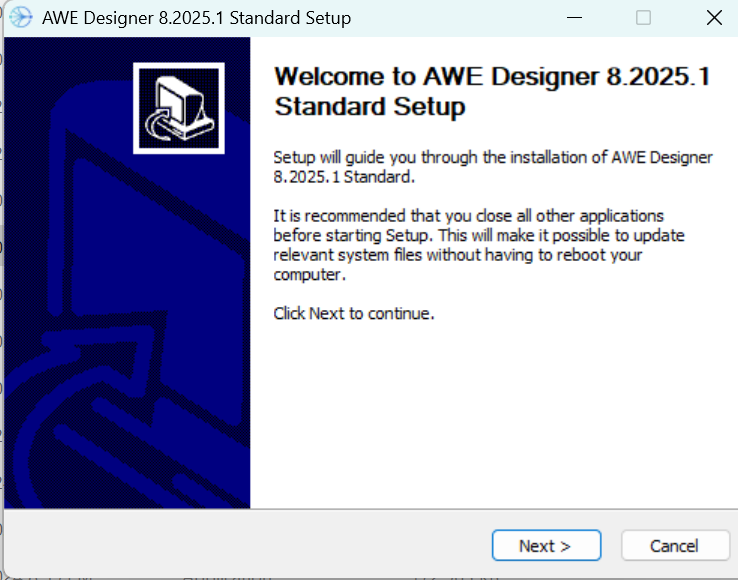
- Once all other applications are closed, click ‘Next’ to continue to the license agreement step.
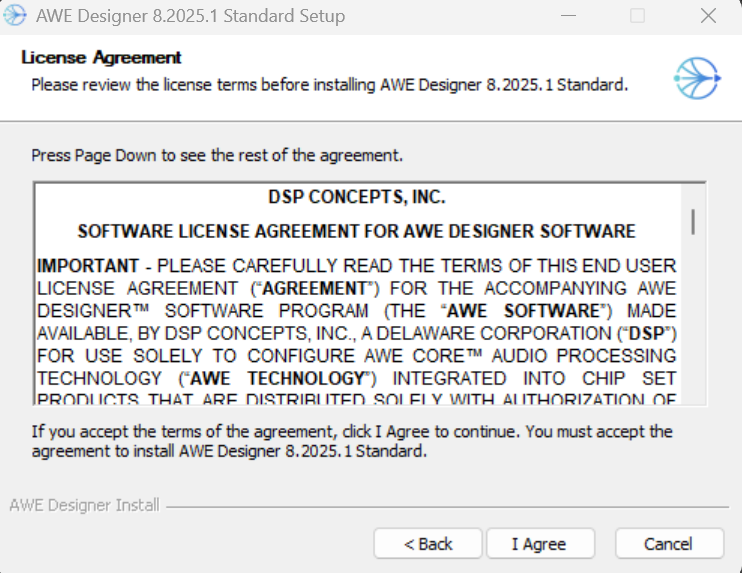
- Read over the terms in the Audio Weaver license agreement and click ‘I Agree’ to accept and continue with the installation.
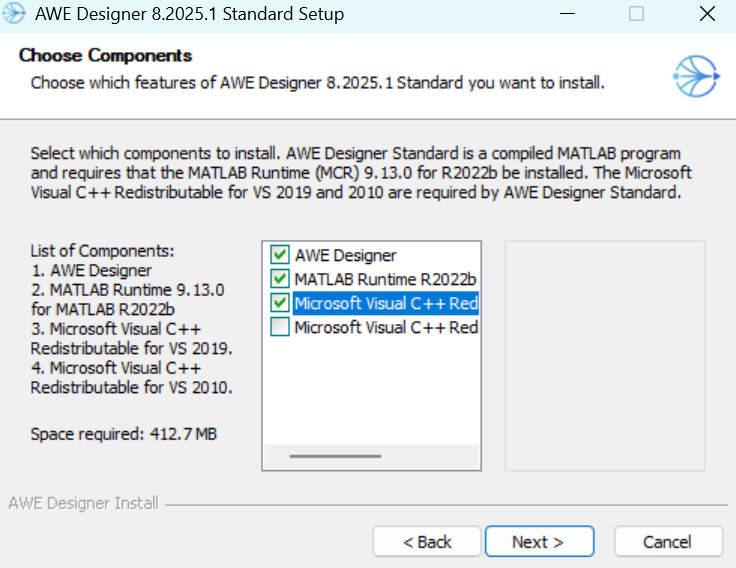
Two third-party components are required for the Standard edition. The installer will check for preinstalled versions of MATLAB Runtime and Microsoft Visual Studio C++ redistributable libraries. The checkbox will be set for any library that is needed. Manually select the appropriate checkbox to force a reinstall if desired. The appropriate libraries will be downloaded and installed during the Audio Weaver installation process. This may take a few minutes and of course, internet access is required.
Due to the size of the binary, the download and installation of the MATLAB Runtime can take a long time. If it gets interrupted or fails for any reason, the installer can be rerun to retry the installation. It can also be installed directly by the user from (version 9.13 [x64] is required for Designer): www.mathworks.com/products/compiler/matlab-runtime.html
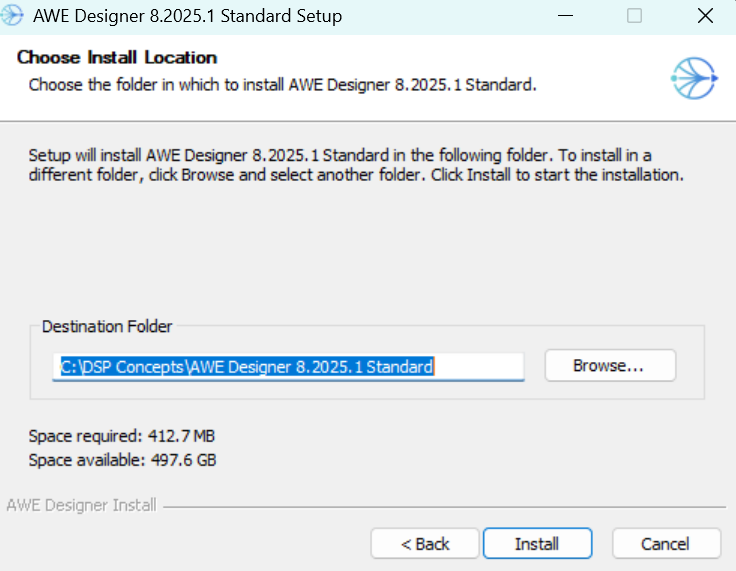
5. For the next step, it is recommended that you install Audio Weaver in the default location of C:\DSP Concepts\<Audio Weaver Version> to allow modification of local files and examples.
6. Click ‘Install’ to begin the Audio Weaver installation process.
Launching AWE Designer Standard Edition
To launch the Standard editions of Audio Weaver, simply double click the icon that the installer created on your Desktop.
This may take several minutes to launch for the first time since it must unpack the entirety of the compiled MATLAB application – future launches will be much faster.
Launching AWE Designer Pro Edition with MATLAB
To launch the Pro edition of Audio Weaver, the MATLAB path variable must first be updated to point to the ‘matlab’ folder of the current installation of Audio Weaver. To add to the MATLAB path, click the ‘Set Path’ icon in the ENVIRONMENT section of the MATLAB banner.

In the next window, click ‘Add Folder’ and navigate to the matlab folder in your AWE Designer install directory, (e.g. C:\DSP Concepts\AWE Designer 8.2025.1 Pro\matlab) Note that if you have used an earlier version of Audio Weaver Pro before, you must remove all the paths for the previous installation before launching the updated version. Your updated MATLAB path should look something like this:
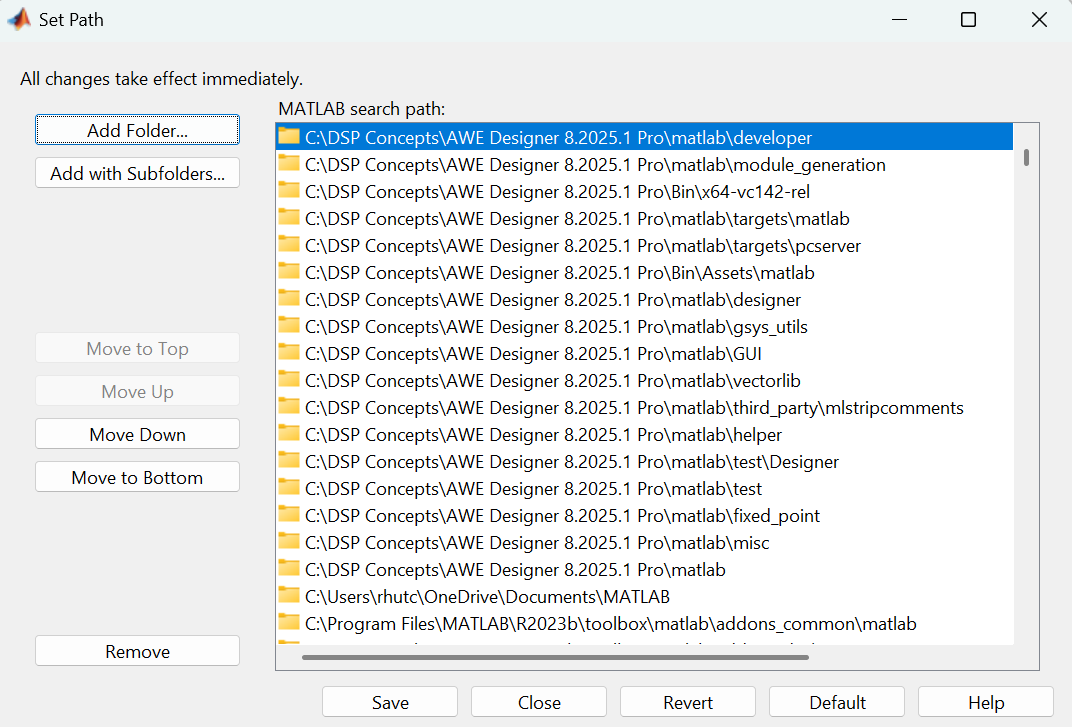
Click ‘Save’, and in the MATLAB command window, type ‘awe_designer’ to launch the Audio Weaver application.
Permissions and License Activation
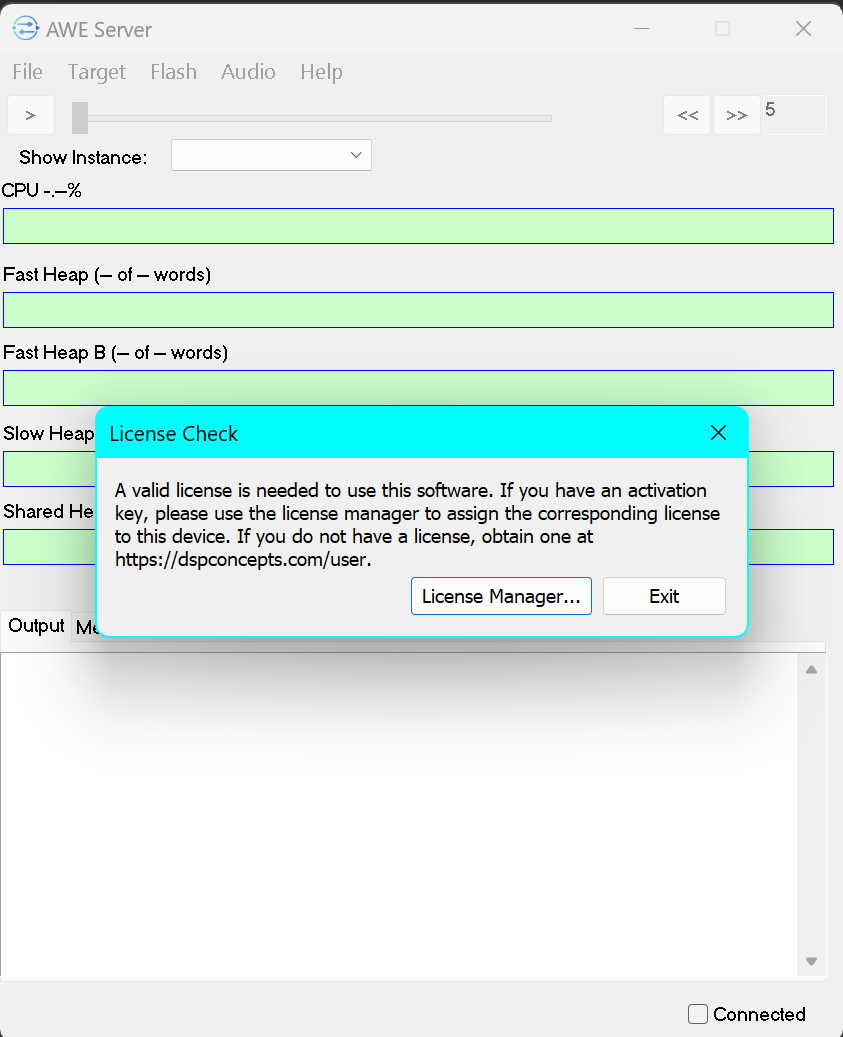
Once the DSP Concepts splash screen appears, you may be asked to allow Audio Weaver executables to communicate between themselves or pass through your firewall. This is normal. If you are prompted to provide a valid AWE Designer license, click "License Manager..." and follow the activation steps detailed in the AWE Designer Licensing System documentation.
Next Steps
Once your account is authorized to use the running edition of Audio Weaver, the graphical Audio Weaver tool will launch. For instructions on how to get started using Audio Weaver Designer, see Getting Started with AWE Designer.